
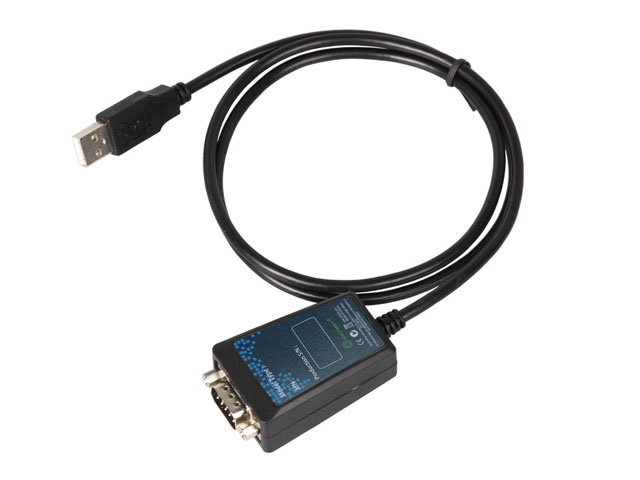
USB to RS232 Serial Cable | FTDI Chipset | DB9 Male | LED Indicators | 1m | Console Cable | IO Crest IO-USB2310-01
Genuine FTDI chipset USB to RS-232 serial cable with LED indicators. Perfect for console access, industrial automation, and legacy equipment. 1m cable, UK stock.
Only 2 left in stock
£14.39
Description
IO Crest USB to RS-232 Serial Cable
Genuine FTDI Chipset • LED Status Indicators • Industrial Grade • 1 Metre Cable
Why Choose This Professional Serial Cable?
- ✓ Genuine FTDI Chipset — Industry-leading reliability. Not counterfeit Prolific or clone chips that cause driver conflicts and random disconnects. FTDI provides active driver development and proven compatibility across all major operating systems.
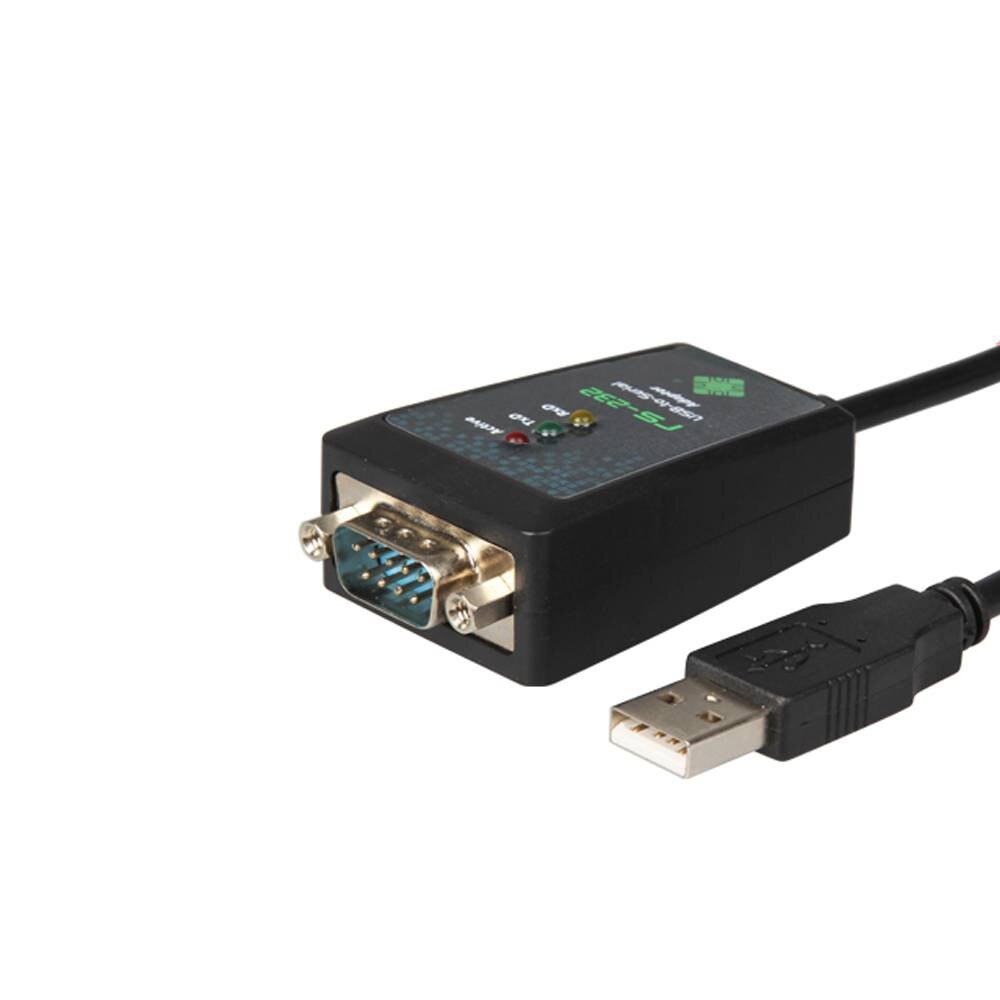
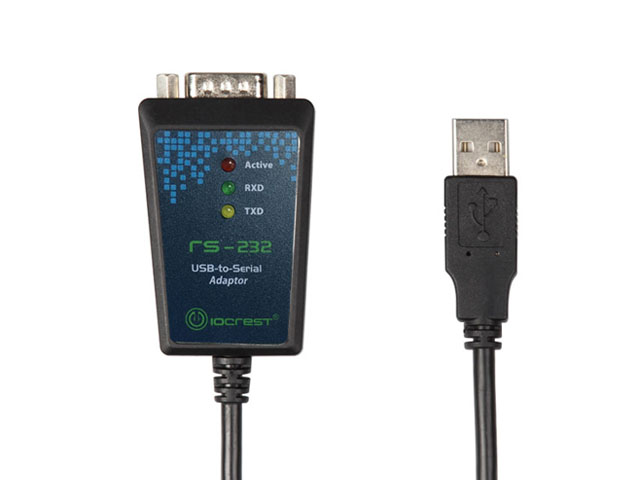
- ✓ Visual Status Indicators — Built-in LEDs for Power (PWR), Transmit (TXD), and Receive (RXD) provide instant visual feedback during serial communication. Essential for troubleshooting connection issues and verifying data transfer.
- ✓ Industrial Temperature Range — Operates reliably from -40°C to +85°C, far exceeding consumer-grade cables (typically 0-70°C). Built with quality components for harsh environments including server rooms, outdoor cabinets, vehicles, and factory floors.
- ✓ Complete RS-232 Implementation — Full 9-pin signal support (CD, RXD, TXD, DTR, GND, DSR, RTS, CTS, RI). Not a basic 3-wire adapter. Essential for equipment requiring hardware handshaking and modem control signals.
- ✓ High-Speed Data Transfer — Supports baud rates from 300 to 921,600 bps. Configurable data bits (7/8), stop bits (1/2), parity (none/even/odd/mark/space), and flow control (none/hardware/software) for maximum compatibility.
- ✓ Plug & Play Simplicity — Automatically recognised by Windows 10/11, macOS 10.9+, and modern Linux distributions. Drivers install automatically on most systems. Manual drivers available from ftdichip.com for older operating systems.
- ✓ UK Stock, Next-Day Dispatch — No waiting 2-4 weeks for China Post deliveries. Order today, ship tomorrow from our UK warehouse. Fast, reliable service with full UK consumer protection.
Professional Applications
🔧 IT & Network Infrastructure
Console access to network equipment:
- Cisco routers, switches, firewalls (2960, 3750, ASA, ISR)
- Juniper (EX, SRX, MX series)
- HP/Aruba switches and controllers
- Dell networking equipment (PowerConnect, N-series)
- Ubiquiti EdgeRouter, UniFi Console access
- Server management ports (IPMI, iDRAC, iLO)
- UPS configuration (APC, Eaton)
🏭 Industrial Automation
Control and programming:
- PLCs (Siemens S7, Allen-Bradley MicroLogix, Mitsubishi)
- CNC machine programming and diagnostics
- Motor drives and VFDs (ABB, Siemens, Schneider)
- SCADA systems and HMI panels
- Building automation controllers
- Industrial weighing systems
- Process control instrumentation
🔬 Laboratory & Scientific Equipment
Instrument control and data acquisition:
- Oscilloscopes, spectrum analysers, function generators
- Analytical balances and precision scales
- Laboratory pH meters, titrators, analysers
- Environmental monitoring stations
- Medical diagnostic equipment
- Data loggers and recorders
- Chromatography systems (HPLC, GC)
📡 Ham Radio & RF Equipment
Transceiver programming and control:
- Yaesu FT-857D, FT-991A, FT-DX series
- Icom IC-7300, IC-9700, IC-R8600
- Kenwood TS-590, TS-2000, TM-D710
- TNC connections for APRS and packet radio
- Digital mode interfaces (PSK31, FT8, RTTY)
- Antenna analysers and SWR meters
- Radio firmware updates and memory management
💻 Embedded Systems Development
Microcontroller and SBC development:
- UART debugging and serial console access
- Bootloader programming (U-Boot, GRUB)
- Embedded Linux serial console (Raspberry Pi, BeagleBone)
- Microcontroller programming (with RS-232 interface boards)
- Industrial PC and panel PC configuration
- Development board serial interfaces
- Firmware updates via serial bootloaders
🛒 Retail & Point of Sale
Legacy retail equipment:
- Receipt printers (Epson TM-T88, Star TSP)
- Barcode scanners and label printers
- Cash drawers and electronic tills
- Card payment terminals
- Electronic scales and weighing systems
- Pole displays and customer displays
- POS system configuration
📞 Telecommunications
Telephony and modem connections:
- PBX system programming and maintenance
- Dial-up modems and ISDN terminal adapters
- Fax machines and voice logging equipment
- Telephone testing equipment
- Legacy telecommunication infrastructure
🖥️ Retro Computing & Legacy Systems
Vintage equipment connectivity:
- Serial mice and legacy pointing devices
- Dot-matrix and serial printers
- Plotters and pen plotters
- External modems and terminal servers
- Classic gaming consoles (Dreamcast, etc.)
- Vintage computer peripherals
⚠️
Why Genuine FTDI Chipset Matters
The Serial Cable Counterfeit Problem: The market is flooded with cheap “FTDI” cables using counterfeit or Prolific chips. These cause “Code 10” driver errors in Windows, random disconnections, data corruption, and compatibility failures with modern operating systems. Many sellers aren’t even aware they’re selling counterfeits.
FTDI Advantages:
- Industry Standard: FTDI chips are specified by professional engineers in mission-critical applications worldwide. Decades of proven reliability in aerospace, medical, industrial, and telecommunications sectors.
- Active Development: FTDI continuously develops and updates drivers for new operating systems, security patches, and bug fixes. Windows 11, macOS Sonoma, recent Linux kernels — all supported.
- Plug & Play Reliability: Auto-detected by operating systems with automatic driver installation. No hunting for drivers, no compatibility nightmares, no “device not recognised” errors.
- Stable Performance: No random disconnects during long serial sessions. No data corruption. No COM port enumeration failures. Rock-solid operation even under heavy serial traffic.
- Professional Support: FTDI provides comprehensive technical documentation, application notes, and direct support channels. Prolific and counterfeit chips often lack proper documentation.
Our Guarantee: This cable uses a genuine FTDI chipset, not a counterfeit. We source directly from authorised distributors and stand behind the quality of every cable we sell. If you experience any driver or compatibility issues, we’ll make it right.
Technical Specifications
| Chipset | FTDI (Genuine, factory-verified) |
| Input Interface | USB 2.0 Type-A Male (backwards compatible with USB 1.1) |
| Output Interface | RS-232 DB9 Male (9-Pin D-Sub, pins visible) |
| Cable Length | 1 Metre (100cm / 39.4 inches) |
| Data Transfer Rates | 300 baud to 921,600 baud (921.6 Kbps) |
| RS-232 Signals | All 9 signals supported: • DCD (Data Carrier Detect / CD / Pin 1) • RXD (Receive Data / Pin 2) • TXD (Transmit Data / Pin 3) • DTR (Data Terminal Ready / Pin 4) • GND (Signal Ground / Pin 5) • DSR (Data Set Ready / Pin 6) • RTS (Request to Send / Pin 7) • CTS (Clear to Send / Pin 8) • RI (Ring Indicator / Pin 9) |
| UART Configuration | • Data bits: 7 or 8 • Stop bits: 1 or 2 • Parity: None, Even, Odd, Mark, Space |
| Flow Control | None, Hardware (RTS/CTS), Software (XON/XOFF) |
| LED Indicators | • PWR (Power) — Green LED, illuminates when connected to USB • TXD (Transmit) — Red LED, flashes during data transmission • RXD (Receive) — Red LED, flashes during data reception |
| Operating Temperature | -40°C to +85°C (Industrial grade, not consumer 0-70°C) |
| Power Source | USB Bus Powered (no external power adapter required) |
| Power Consumption | Typical: 90mA, Maximum: 500mA |
| Operating Systems | • Windows 11, 10, 8.1, 8, 7, Vista, XP (32-bit & 64-bit) • Mac OS X 10.6 (Snow Leopard) and above • Linux kernel 2.4.x and above (built-in support) • Windows CE, Android (with OTG support) |
| Driver Installation | Automatic on Windows 10/11, macOS 10.9+, modern Linux. Manual drivers available at ftdichip.com for older systems. |
| Cable Construction | Double shielded (foil + braid) for EMI/RFI protection |
| Certifications | CE, FCC, RoHS compliant |
| Warranty | 1 Year Manufacturer Warranty |
📦 What’s Included
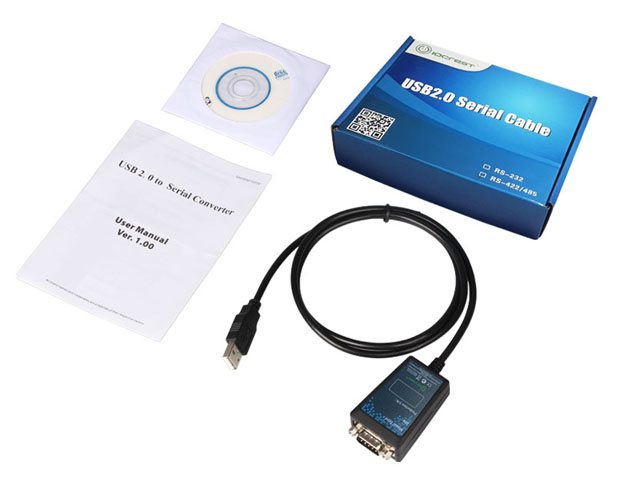
- ✓ 1× IO Crest USB to RS-232 Serial Converter Cable (Model: IO-USB2310-01, 1m length)
- ✓ 1× Quick Start Guide / User Manual (English)
- ✓ 1× Driver Installation CD (also downloadable from ftdichip.com)
Frequently Asked Questions
Q: Will this cable work with my Cisco/Juniper/HP/Dell network equipment?
A: Yes, absolutely! This is the exact type of cable network engineers use for console access to routers, switches, and firewalls. Most network equipment defaults to 9600 baud, 8 data bits, no parity, 1 stop bit (8N1) — easily configured in terminal software like PuTTY, SecureCRT, Tera Term (Windows), screen or minicom (Mac/Linux). The genuine FTDI chipset ensures rock-solid connections during firmware updates, configuration backups, and troubleshooting sessions. Many network professionals keep one of these in their laptop bag at all times.
Q: Do I need to install drivers? How difficult is setup?
A: On modern systems (Windows 10/11, macOS 10.9+, recent Linux), setup is genuinely plug-and-play. Simply connect the cable, and the operating system will automatically detect and install FTDI drivers within seconds. You’ll see a new COM port appear in Device Manager (Windows) or /dev/tty.usbserial-XXXXXX (Mac/Linux). For older systems like Windows XP/Vista/7, you may need to manually install drivers from the included CD or download them from ftdichip.com. The FTDI website has excellent driver support and documentation.
Q: What’s the actual difference between FTDI and Prolific chipsets? Why does it matter?
A: This is the million-dollar question in the serial adapter world. FTDI chips are the gold standard — they cost more to manufacture, which is why FTDI cables are typically £12-20 vs £5-8 for Prolific. The problem is the market is flooded with counterfeit Prolific chips (and even fake FTDI chips). These counterfeits cause notorious “Code 10” errors in Windows Device Manager, random disconnections mid-session, complete failure on newer operating systems, and data corruption issues. Professional engineers and IT departments exclusively use FTDI because they can’t risk unreliable equipment during critical work. Think of it like buying branded PC components vs unbranded — you pay a small premium for reliability and support. If you’re configuring a £5,000 router or programming a factory PLC, is saving £10 on the cable worth the risk of a failed connection?
Q: Is this cable male or female on the DB9 end? What if I need the opposite?
A: This cable has a DB9 Male connector on the serial end (the one with pins sticking out). This is the standard configuration because most serial devices have female DB9 ports — network equipment console ports, industrial PLCs, lab instruments, etc. all typically use female DB9. If your device has a male DB9 port (pins sticking out), you’ll need a simple gender changer adapter (DB9 male-to-male or female-to-female coupler, available separately for under £5). Check your device before ordering to ensure compatibility.
Q: Which COM port number will this cable use?
A: The cable will enumerate as a virtual COM port. On Windows, it’s typically COM3, COM4, COM5, etc. (COM1 and COM2 are usually reserved for physical ports). You can check the assigned port in Device Manager > Ports (COM & LPT) — it will appear as “USB Serial Port (COMX)”. If you need a specific COM port number, you can reassign it in Device Manager properties. On Mac, it appears as /dev/tty.usbserial-XXXXXXXX (where X is a unique identifier). On Linux, it’s /dev/ttyUSB0, /dev/ttyUSB1, etc. You can also check with ‘dmesg | grep tty’ or ‘ls /dev/ttyUSB*’.
Q: Can I use this for Arduino or Raspberry Pi projects?
A: Important clarification: This cable provides RS-232 voltage levels (±3V to ±15V, typically ±12V). Most Arduino boards use USB-B or USB-C connectors and don’t have RS-232 ports. Raspberry Pi GPIO serial pins use 3.3V TTL logic levels, not RS-232. You would need a separate TTL-to-RS232 converter board. However, if you’re working with embedded Linux on Raspberry Pi (serial console access via GPIO UART pins with a TTL adapter), or microcontrollers that have actual RS-232 interface boards, then yes, this cable works perfectly. The key is understanding the voltage levels your device requires.
Q: What terminal software should I use with this cable?
A: Popular options include:
- Windows: PuTTY (free, most popular), Tera Term, SecureCRT, RealTerm, HyperTerminal replacement
- Mac: screen (built-in terminal command), CoolTerm, Serial, ZTerm
- Linux: screen, minicom, picocom, cu (all free and often pre-installed)
- Cross-platform: PuTTY (Windows/Linux), CoolTerm (Windows/Mac/Linux)
Most network engineers use PuTTY on Windows. Basic usage: Select “Serial” connection type, enter your COM port (e.g., COM4), set speed to 9600 (or your device’s baud rate), click “Open”.
Q: Will this work with my USB-C only laptop (MacBook, modern ThinkPad, Dell XPS)?
A: Yes, but you’ll need a USB-C to USB-A adapter or hub (not included). These are readily available for £5-15 and most laptop users already have one for connecting standard USB peripherals. Once connected through the adapter, the cable works exactly the same — the FTDI chipset is recognised by the OS and creates a virtual COM port. Many network engineers use this exact setup with modern laptops for console access in data centres.
Q: Is 1 metre long enough for practical use?
A: For most applications, yes — 1 metre (just over 3 feet) is the sweet spot for desk use, server rack access, and equipment programming. It’s long enough to comfortably position your laptop while accessing rear panel ports on rack-mounted equipment, but short enough to avoid cable clutter and signal degradation. If you need longer reach for specific installations, serial extension cables (DB9 male-to-female) are available separately in various lengths.
Q: Does the industrial temperature rating (-40°C to +85°C) matter for normal use?
A: For typical office or home use, you probably won’t encounter these extremes. However, the extended temperature range is an indicator of component quality. Cables rated for industrial temperatures use better grade chipsets, capacitors, and wiring that won’t degrade over time. This translates to longer lifespan and more reliable operation even at normal temperatures. If you’re working in non-climate-controlled environments (server rooms, outdoor equipment cabinets, vehicles, factory floors, field installations), the industrial rating becomes essential.
Q: What do the LED indicators show?
A: The cable has three status LEDs:
- PWR (Power) – Green: Illuminates solid when cable is connected to USB port and receiving power
- TXD (Transmit) – Red: Flashes when your computer is sending data to the serial device
- RXD (Receive) – Red: Flashes when the serial device is sending data to your computer
These LEDs are invaluable for troubleshooting. If PWR is lit but RXD/TXD never flash, you know the cable is working but there’s a configuration issue (wrong baud rate, wrong COM port, or device not responding). If TXD flashes but RXD doesn’t, you’re sending data but not receiving — could indicate TX/RX wires swapped (need null modem adapter) or device not responding.
✓ Compatibility Notes
- Works with: Any device with a female DB9 serial port (holes, not pins) requiring RS-232 communication at ±12V levels
- Common devices: Network equipment console ports, PLCs, CNC machines, scales, printers, modems, lab instruments, ham radios
- Does NOT work with: Devices requiring TTL voltage levels (3.3V/5V logic) without a separate level converter
- Gender note: This cable has DB9 Male (pins). If your device has DB9 Male, you need a gender changer
- Null modem note: Some devices expect TX/RX swapped — if connection doesn’t work, try a null modem adapter
Why Buy from TekHouse?
✓ UK Stock, Fast Dispatch
Next working day dispatch from our UK warehouse. No waiting 2-4 weeks for slow boat from China. Order today, working on your project tomorrow.
✓ Guaranteed Genuine FTDI
We source directly from authorised IO Crest distributors. Every cable is tested to verify genuine FTDI chipset. No counterfeits, no clones, no grey market goods.
✓ Expert Technical Support
Pre-sales and post-sales support from people who understand serial communications, not just order processors. We can help with driver issues, terminal configuration, and troubleshooting.
✓ 30-Day Money-Back Guarantee
If the cable doesn’t work for your application or you’re not satisfied for any reason, return it within 30 days for a full refund. No questions asked, no restocking fees.
Additional information
| Weight | 250 g |
|---|---|
| Dimensions | 350 × 250 × 25 mm |
Q & A
Related products
-
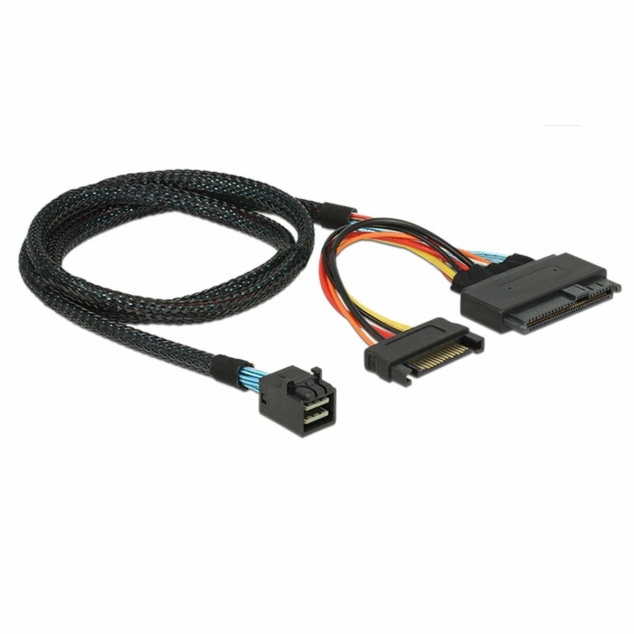
Mini SAS HD to U.2 / SFF-8643 to SFF-8639 Cable
- Price range: £14.99 through £17.99
- Select options This product has multiple variants. The options may be chosen on the product page
Reviews
There are no reviews yet