PCIe to 5-Port SATA III 6Gb/s Expansion Card – IO-PCE585S-5I – IOCrest
Expand your PC with 5 SATA III 6Gb/s ports using the premium JMB585 chipset. Superior performance vs. budget controllers. UK stock, next-day dispatch. Standard & low-profile brackets included.
Out of stock
£15.99
Description
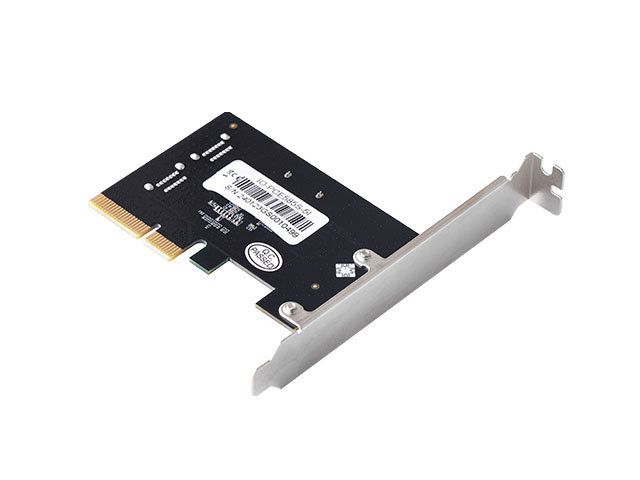
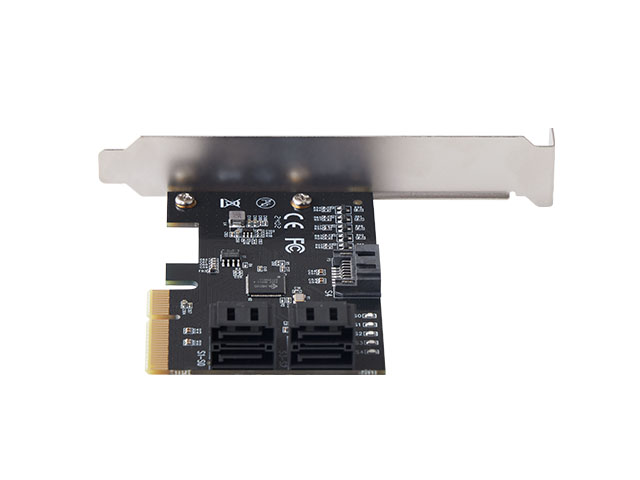
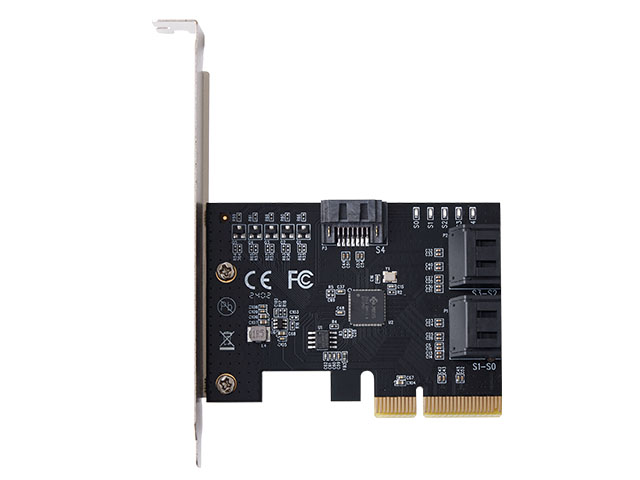
IO Crest 5-Port SATA III PCIe Expansion Card
Premium JMB585 Chipset | 6Gb/s Per Port | 1,700 MB/s Aggregate Bandwidth
Model: IO-PCE585S-5I | UK Stock | Next-Day Dispatch
✅ Why Choose This Premium SATA Controller?
🎯 Superior JMB585 Chipset
Dramatically outperforms budget ASM1166 and Marvell 88SE9215 controllers with better multi-drive performance, driver stability, and Linux compatibility.
⚡ FIS-Based Switching
Advanced switching technology prevents bottlenecks when multiple SATA drives are accessed simultaneously — essential for multi-drive workloads.
🚀 Full PCIe Gen3 x2 Bandwidth
1,700 MB/s aggregate throughput with 600 MB/s per port ensures no compromises on speed, even under heavy load.
🇬🇧 UK Stock & Support
Ships from Derbyshire, England with next working day dispatch. No 2-4 week wait from Chinese sellers. Expert UK-based technical support available.
📋 Complete Technical Specifications
Hardware Specifications
| Chipset | JMicron JMB585 |
| Interface | PCIe 3.0 x2 |
| Slot Compatibility | x4, x8, x16 |
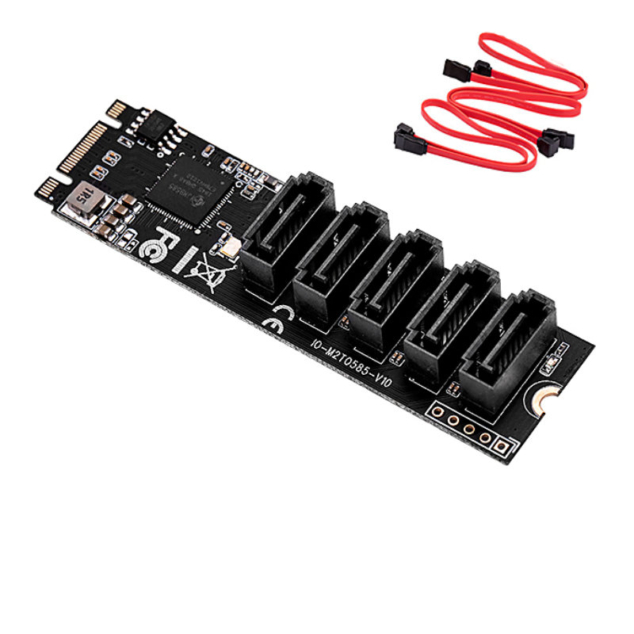
| SATA Ports | 5× SATA III 6Gb/s |
| Per-Port Speed | 6Gb/s (600 MB/s) |
| Aggregate Bandwidth | 1,700 MB/s max |
| Card Size | 79.3 × 58.5 mm |
| Form Factor | Standard + Low Profile |
Features & Compatibility
| AHCI Support | ✅ Yes |
| NCQ (Native Command Queuing) | ✅ Yes |
| Port Multiplier | ✅ Yes |
| Hot-Plug / Hot-Swap | ✅ Yes |
| Staggered Spin-Up | ✅ Yes |
| UEFI Boot Support | ✅ Yes |
| Hardware RAID | ❌ No (Software RAID OK) |
| Operating Systems | Win 7/8/10/11, Linux, UEFI |
⚡ JMB585 vs. Budget Controllers: The Technical Difference
Not all SATA controllers are created equal. Here’s why the JMB585 chipset is worth the premium:
🆚 vs. ASM1166 (Common Budget Chipset)
- Better FIS-Based Switching: JMB585 handles concurrent drive access without performance degradation
- Superior Driver Stability: Fewer compatibility issues, especially in Linux environments
- Improved NCQ Implementation: Better command queueing for multi-threaded workloads
🆚 vs. Marvell 88SE9215 (Budget Alternative)
- Higher Bandwidth Utilization: JMB585 achieves closer to theoretical max speeds
- Better Linux Compatibility: Mainline kernel support vs. patchy Marvell drivers
- More Stable Power Management: Fewer issues with drive spin-up and SATA link negotiation
💡 Bottom Line: If you’re running multiple drives simultaneously (media server, NAS, video editing), the JMB585’s superior multi-drive performance is worth every penny.
💡 Common Use Cases & Applications
🖥️ Home Media Server / NAS
Perfect for Plex, Jellyfin, or TrueNAS builds. Connect 5 SATA drives for massive storage capacity. FIS-based switching ensures smooth streaming even when multiple users access different files simultaneously.
📹 Video Editing Workstations
Connect multiple SSDs for 4K/8K video scratch disks, project files, and render caches. The JMB585’s high bandwidth prevents bottlenecks during real-time preview and rendering.
⚙️ Legacy System Upgrades
Bring SATA III 6Gb/s speeds to older motherboards with SATA II ports. No need to replace the entire system — just add this card to unlock modern SSD performance.
📊 Data-Intensive Workflows
Photography (Lightroom catalogs), 3D rendering (asset libraries), scientific computing (large datasets) — any workflow that benefits from multiple high-speed storage devices.
🔬 IT Testing & Development
Run multiple OS installations for testing, benchmark different RAID configurations, or swap drives frequently for hardware validation. Hot-plug support makes testing workflows seamless.
💾 Archive & Backup Systems
Connect multiple large HDDs for cold storage, rotating backups, or archival systems. Staggered spin-up prevents power supply overload when booting with multiple drives.
📦 Package Contents
- 1× IO Crest IO-PCE585S-5I PCIe SATA Expansion Card (standard bracket pre-installed)
- 1× Low Profile Bracket (for SFF/HTPC builds)
- 1× User Manual (installation guide and specifications)
⚠️ Important Note: SATA data cables are NOT included with this card. You will need standard SATA III 6Gb/s cables (available separately in our store) — we recommend straight connectors for most builds, or right-angle connectors for tight spaces.
🔧 Installation & Compatibility Guide
System Requirements
- PCIe Slot: x4, x8, or x16 (card will work in any, though it’s electrically x2)
- Operating System: Windows 7/8/10 (native drivers), Linux 2.6+ (kernel support), UEFI firmware
- Power: Powered entirely from PCIe slot — no additional cables needed
- BIOS/UEFI Settings: May require “Above 4G Decoding” enabled or CSM disabled for best compatibility
- Case Clearance: Standard bracket requires ~120mm clearance; low-profile bracket for SFF/HTPC cases
Installation Steps
- Power off your system and unplug from mains power
- Select bracket: Use pre-installed standard bracket or swap to low-profile bracket if needed
- Insert card into any available PCIe slot (x1, x4, x8, or x16)
- Secure with case bracket screw
- Connect SATA cables from card ports to your SATA drives
- Boot system — Windows/Linux will automatically detect and install drivers
- Optional: Enable “AHCI” mode in BIOS if drives aren’t detected (unlikely)
BIOS/UEFI Configuration Tips
- Boot from card: Enable “UEFI Boot” and add the card to boot device priority list
- Above 4G Decoding: Enable if drives aren’t recognized (common on newer motherboards)
- CSM (Compatibility Support Module): Try disabling if experiencing detection issues
- Bifurcation: Not required — JMB585 doesn’t need PCIe lane splitting
✅ Why Buy from TekHouse?
🇬🇧 UK Stock & Fast Shipping
Ships from our warehouse in Gloucestershire, England. Next working day dispatch — no 2-4 week wait from overseas sellers.
✨ Genuine IO Crest Product
Authentic IO Crest hardware, not generic white-label clones. Full manufacturer support and warranty coverage.
🛡️ Hassle-Free Returns
30-day money-back guarantee. Not happy? Send it back for a full refund — no questions asked.
👨💻 Expert Technical Support
UK-based support team with deep technical knowledge. Need help with BIOS settings, drivers, or compatibility? We’re here to help.
❓ Frequently Asked Questions
Q: Do I need to install drivers for this card?
A: No manual driver installation required! Windows 7/8/10 include native JMB585 drivers in the OS — the card works immediately after installation. Linux 2.6+ kernels also have built-in support. Simply install the card, connect drives, and boot up.
Q: Can I boot my operating system from a drive connected to this card?
A: Yes! The JMB585 supports UEFI boot. You may need to enable “AHCI” mode in your BIOS and add the card to your boot device priority list. Most modern motherboards detect it automatically.
Q: Does this card support hardware RAID?
A: No, the IO-PCE585S-5I is a non-RAID controller (JBOD mode only). However, you can use software RAID solutions like Windows Storage Spaces, Linux mdadm/mdraid, or third-party RAID managers. Software RAID is often more flexible and doesn’t lock you into proprietary RAID formats.
Q: What makes the JMB585 chipset better than cheaper alternatives?
A: Three key advantages: (1) FIS-based switching prevents performance bottlenecks when multiple drives are accessed simultaneously, (2) Superior driver stability with better Windows and Linux compatibility, and (3) Higher bandwidth utilization — achieves closer to theoretical max speeds (1,700 MB/s aggregate). Budget controllers like ASM1166 and Marvell 88SE9215 often struggle with concurrent drive access and have compatibility issues.
Q: Are SATA cables included with this card?
A: No, SATA data cables are sold separately. You’ll need standard SATA III 6Gb/s cables (available in our store). We recommend straight connectors for most builds, or right-angle (90°) connectors if you have tight clearance near the motherboard.
Q: Which PCIe slot should I use — x1, x4, x8, or x16?
A: Any of them will work! The card is electrically PCIe 3.0 x2, so it will function in x1, x4, x8, or x16 slots. For best performance, use an x2 or higher slot, but even an x1 slot will work (with slightly reduced bandwidth). Make sure the slot is PCIe 3.0 for full speed (PCIe 2.0 slots will work but at reduced bandwidth).
Q: Can I use SSDs and HDDs on the same card simultaneously?
A: Absolutely! You can mix and match any SATA devices — SSDs, HDDs, optical drives, or even hybrid SSHDs. Each port operates independently at full 6Gb/s speed.
Q: Does this card work with NAS operating systems like TrueNAS or Unraid?
A: Yes! The JMB585 has excellent Linux kernel support, which means it works great with FreeBSD-based TrueNAS, Linux-based Unraid, OpenMediaVault, and similar NAS platforms. Many users specifically choose JMB585 cards for homelab NAS builds due to reliable driver support.
Q: Will this card fit in my small form factor (SFF) or HTPC case?
A: Yes! The card includes both standard and low-profile brackets. The low-profile bracket allows installation in mini-ITX cases, slim desktop PCs, and HTPC builds. Card dimensions are only 79.3 × 58.5 mm, so it’s very compact.
Q: My drives aren’t showing up after installation. What should I check?
A: Try these steps: (1) Enable “Above 4G Decoding” in your motherboard BIOS, (2) Ensure AHCI mode is enabled (not RAID or IDE mode), (3) Disable CSM (Compatibility Support Module) if using UEFI, (4) Check that SATA cables are fully seated at both ends, (5) Verify drives have power connected (especially for 3.5″ HDDs). If issues persist, contact our UK support team — we’ll help you troubleshoot.
🚀 Upgrade Your Storage Capacity Today
Premium JMB585 chipset • 5 full-speed SATA III ports • 1,700 MB/s aggregate bandwidth
✅ UK Stock • ✅ Next-Day Dispatch • ✅ Genuine IO Crest Product • ✅ 30-Day Returns
Ships from TekHouse, Gloucestershire, England
Additional information
| Weight | 100 g |
|---|