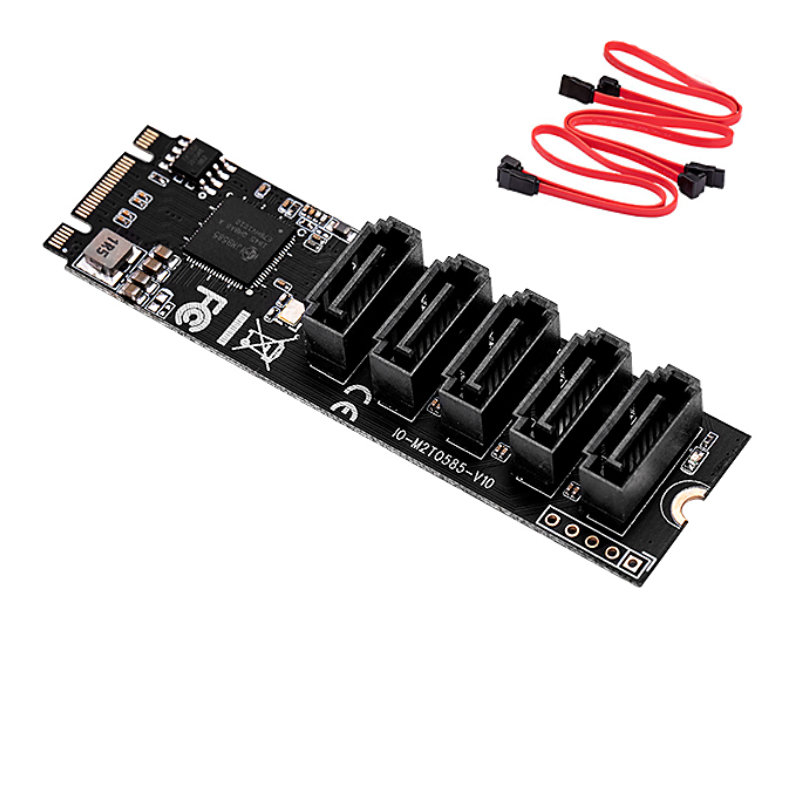
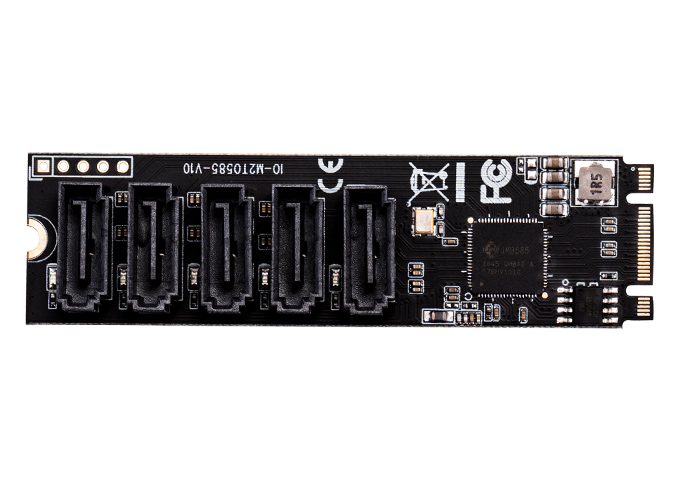
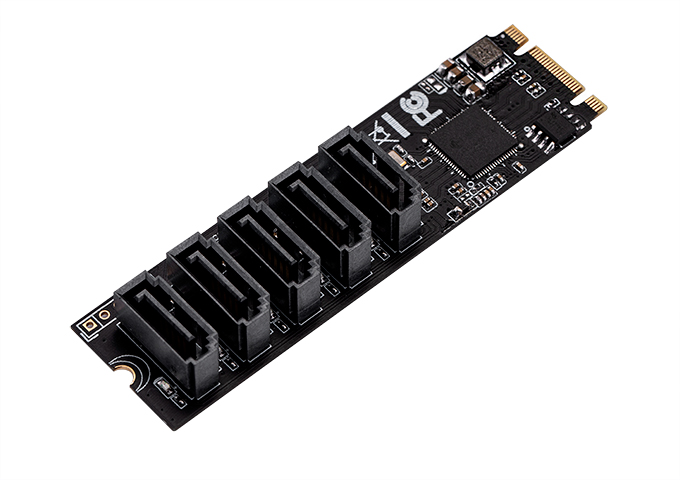
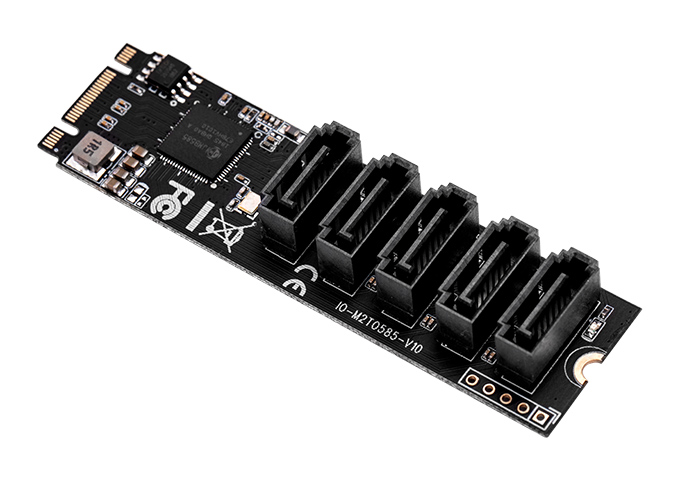
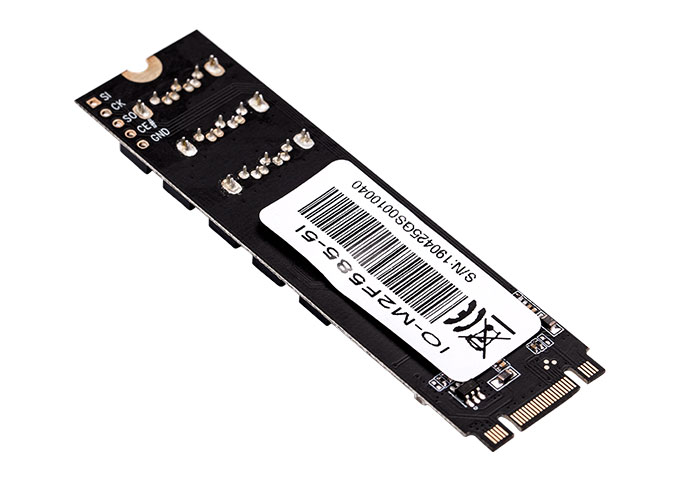
M.2 to 5-Port SATA 6G Adapter with JMB585 Chip – IO-M2F585-5I
Add 5 SATA III ports via your M.2 slot. Premium JMB585 chipset, 3 SATA cables included. Driver-free in TrueNAS, Unraid & Proxmox. UK stock, next-day dispatch.
In stock
£17.99
Description
IO Crest M.2 to 5-Port SATA III Adapter
JMB585 Chipset | B & M Key | PCIe Gen3 x2 | 3× SATA Cables Included
Model: IO-M2F585-5I | UK Stock | Next-Day Dispatch
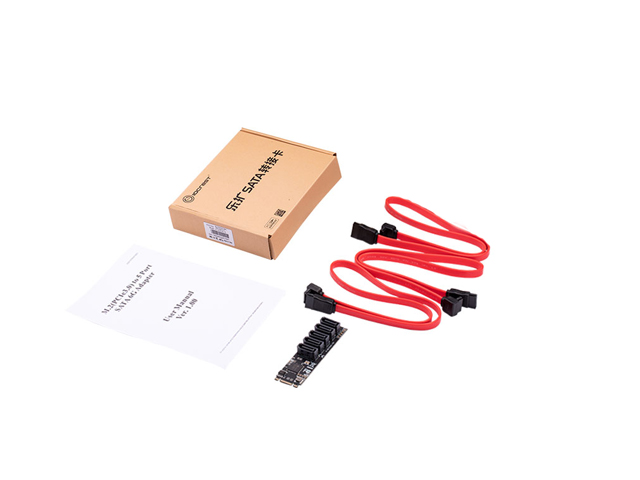
🎁 3× SATA III Cables Included — Most competitors sell card-only. This is ready to use straight from the box.
✅ Why This Adapter Stands Out
🔌 Uses Your M.2 Slot
Plugs directly into any PCIe M.2 slot (B or M Key). Keeps your PCIe lanes free for GPU, network cards, or NVMe SSDs. Ideal for mini-ITX and SFF builds with limited expansion.
⚡ Premium JMB585 Chipset
Outperforms cheaper ASM1166 and Marvell controllers with FIS-based switching for multi-drive workloads, better driver stability, and superior Linux/FreeBSD kernel support.
🏠 NAS & Homelab Proven
Confirmed driver-free in TrueNAS, Unraid, Synology DSM, ESXi 6.7+, and Proxmox per the official IO Crest product FAQ. No BIOS trickery or custom drivers required.
🇬🇧 UK Stock & Fast Dispatch
Ships from Derbyshire, England with next working day dispatch. No 2–4 week wait from Chinese sellers. Genuine IO Crest product — not a generic white-label clone.
📋 Complete Technical Specifications
Hardware Specifications
| Chipset | JMicron JMB585 |
| Input Interface | M.2 B & M Key (PCIe 3.0 x2) |
| Output Ports | 5× SATA III 6Gb/s |
| Per-Port Speed | 6Gb/s (600 MB/s) |
| Aggregate Bandwidth | 1,700 MB/s max |
| Card Size | 22×80mm (M.2 2280) |
Features & Compatibility
| AHCI Support | ✅ Yes |
| NCQ | ✅ Yes |
| Port Multiplier | ✅ Yes (non-RAID) |
| Hot-Plug / Hot-Swap | ✅ Yes |
| FIS-Based Switching | ✅ Yes |
| Hardware RAID | ❌ No (Software OK) |
| NAS / VM (driver-free) | ✅ TrueNAS, Unraid, ESXi, Proxmox, Synology |
| OS Support | Win 7/8/10/11, Linux, UEFI |
🏠 The NAS & Homelab Community’s Choice
The IO-M2F585-5I has become a go-to adapter in the homelab community precisely because it solves a common problem: running out of SATA ports on compact systems where every PCIe slot matters.
ZimaBoard & ZimaBlade
These popular single-board NAS platforms use M.2 for expansion — perfect fit for this adapter.
Unraid
Driver-free pass-through to Unraid confirmed. JMB585 is widely used in the Unraid community.
TrueNAS Scale / Core
Excellent JMB585 support in both FreeBSD (Core) and Linux (Scale) kernels.
Proxmox & ESXi
PCIe pass-through to VMs works without extra drivers. ESXi 6.7+ confirmed in IO Crest FAQ.
Synology DSM
Confirmed driver-free in both official Synology and Black Synology (黑群晖) environments.
Raspberry Pi 5
Works via M.2 HAT. Pi OS kernel includes built-in JMB585 module support out of the box.
💡 Use Cases
🗄️ Mini-ITX NAS Builds
Compact motherboards often have one M.2 slot and limited or no PCIe expansion. This adapter turns that M.2 slot into 5 SATA ports — giving you a full NAS without a full-size motherboard.
🖥️ SFF & HTPC Expansion
Small form factor PCs and HTPCs often have their PCIe slot taken by a GPU or Wi-Fi card. Using the M.2 slot preserves PCIe expansion while still adding 5 SATA ports.
🔬 Homelab Virtualisation
Pass SATA drives directly to Proxmox VMs, ESXi guests, or Unraid arrays. Driver-free pass-through means no fuss with custom drivers or complex IOMMU configuration.
💾 Desktop Storage Expansion
Have a spare M.2 slot going unused on your desktop? Turn it into 5 SATA III ports for HDDs, SSDs, or a mix. The included SATA cables mean you can connect drives immediately.
📹 Media & Video Workflows
Connect multiple high-capacity HDDs for media archives, edit drives, or backup targets — all without occupying a PCIe slot needed for a capture card or GPU.
🔧 IT Testing & Benchmarking
Quickly connect multiple test drives for OS installs, storage benchmarks, or drive cloning tasks. Hot-plug support makes swapping drives mid-session easy.
⚡ JMB585 vs. Budget Alternatives
Many M.2 SATA adapters on the market use cheaper ASM1166 or older Marvell chipsets. Here’s why the JMB585 is worth the premium — especially for multi-drive and NAS workloads:
🆚 vs. ASM1166
- Better FIS-based switching for concurrent drive access
- More stable driver behaviour in Linux/FreeBSD
- Improved NCQ implementation under heavy load
🆚 vs. Marvell 88SE9215
- Higher bandwidth utilisation near theoretical maximum
- Far better Linux/BSD driver support (mainline kernel)
- More reliable SATA link negotiation and power management
🔧 Compatibility & Installation Guide
M.2 Slot Requirements
- Key Type: B Key, M Key, or B&M Key — the adapter physically fits all three
- Interface: Must be PCIe mode (not SATA-only M.2). Most M.2 slots are PCIe — check your motherboard manual if unsure
- Lane Width: PCIe x2 or x4 recommended; x1 may work at reduced bandwidth
- Cannot share slot: Installing this adapter means you cannot simultaneously use an NVMe SSD in the same M.2 slot
Installation Steps
- Power off your system and disconnect from mains
- Remove existing M.2 NVMe SSD from the target slot (if present)
- Insert the adapter at a 30° angle into the M.2 slot and press flat
- Secure with M.2 mounting screw to the standoff on your motherboard
- Connect SATA cables from the adapter’s ports to your drives
- Power on — Windows and Linux will auto-detect the JMB585 with no driver installation
⚠️ Troubleshooting Tips (from IO Crest Official FAQ)
- System stuck at detection screen? Enable CSM in BIOS
- Drives not detected? Try enabling “Above 4G Decoding” and disabling CSM
- Yellow exclamation in Device Manager? Uninstall driver, reboot, let Windows reinstall
- Still not working? Try a different M.2 slot, and clean gold fingers with a pencil eraser
📦 Package Contents
- 1× IO Crest IO-M2F585-5I M.2 to 5-Port SATA Adapter (22×80mm, M.2 2280)
- 3× SATA III 6Gb/s Data Cables — included and ready to use
- 1× User Manual
Note: M.2 mounting screw and standoff (required to secure the card) are typically pre-installed on your motherboard. A standard Phillips-head or Torx screwdriver may be needed.
✅ Why Buy from TekHouse?
🇬🇧 UK Stock
Ships from Gloucestershire, England — next working day dispatch, not 2–4 weeks from overseas.
💰 Best Price Direct
Buying directly from our website saves you money vs. our eBay price — no marketplace fees passed on.
✨ Genuine IO Crest
Authentic product — not generic white-label. Full manufacturer spec with proper QC.
🛡️ 30-Day Returns
Not happy? Return within 30 days for a full refund. No quibbles.
❓ Frequently Asked Questions
Q: How do I know if my M.2 slot is PCIe or SATA?
A: Check your motherboard manual — it will list each M.2 slot’s supported interface. Most M.2 slots on modern boards support PCIe. Slots that support ONLY SATA (common on older boards) will not work with this adapter. If in doubt, look up your motherboard’s spec sheet online.
Q: Does it work with TrueNAS, Unraid, or Proxmox?
A: Yes — confirmed driver-free in all three, plus Synology DSM and ESXi 6.7+, per the official IO Crest product FAQ. The JMB585 chipset has mainline support in the Linux kernel and FreeBSD, making it a popular NAS community choice.
Q: Can I use this on a Raspberry Pi 5?
A: Yes — via an M.2 HAT or PCIe adapter board. The Pi OS kernel includes JMB585 module support. Community reports confirm working with 5 drives attached, though drives on Pi require external SATA power (the Pi’s PCIe cannot supply full HDD power).
Q: Can I run an NVMe SSD and this adapter at the same time?
A: Not in the same M.2 slot — this adapter replaces whatever was in the slot. If your motherboard has two M.2 slots, you can use one for NVMe and one for this adapter.
Q: Does it need additional power beyond the M.2 slot?
A: The adapter itself is powered entirely from the M.2 slot. However, your SATA drives need their own power connections — 2.5″ SSDs can use SATA power connectors, and 3.5″ HDDs need a separate 4-pin Molex or SATA power feed from your PSU.
Q: Does it support RAID?
A: No hardware RAID. This is a JBOD (Just a Bunch of Disks) controller. Software RAID via Windows Storage Spaces, Linux mdadm, or your NAS OS’s RAID tools is fully supported. Note: RAID on Port Multiplier is specifically not supported per IO Crest’s spec sheet.
Q: What’s the difference between this and the IO-PCE585S-5I?
A: Same JMB585 chipset and 5-port SATA output, but different input interface. The IO-M2F585-5I (this product) uses an M.2 slot — ideal for systems with no free PCIe slots. The IO-PCE585S-5I uses a standard PCIe slot — better for desktops with available PCIe x1/x4 slots and no spare M.2.
🚀 5 SATA Ports From Your M.2 Slot
Premium JMB585 • 3× SATA cables included • NAS & homelab proven • UK stock
✅ UK Stock • ✅ Next-Day Dispatch • ✅ Genuine IO Crest • ✅ 30-Day Returns
Ships from TekHouse, Gloucestershire, England
Additional information
| Weight | 100 g |
|---|
Q & A
Related products
-
- Sale!
IOCrest 4-Port SATA III PCIe Expansion Card – ASM1064 Chipset – 6Gbps PCIe 3.0 x1 Controller (IO-PCE1064-4I)
- Original price was: £21.99.£17.95Current price is: £17.95.
- Add to basket
-
- Sale!
USB4 40Gbps M.2 NVMe SSD Enclosure – Thunderbolt 3/4/5 Compatible – PCIe Gen4 x4 – Fanless Aluminium
- Original price was: £58.99.£54.99Current price is: £54.99.
- Add to basket