Description
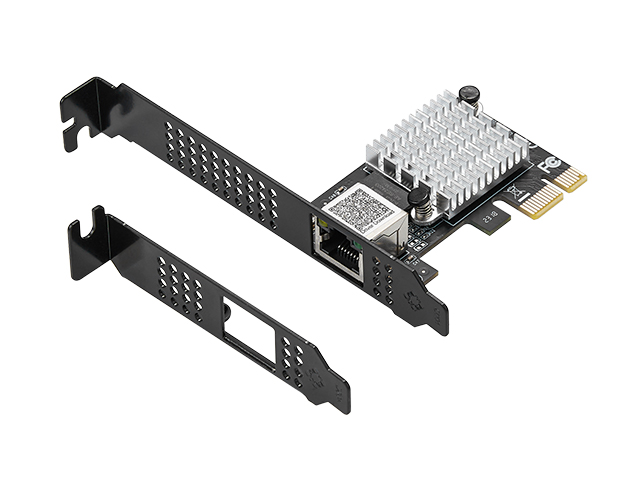
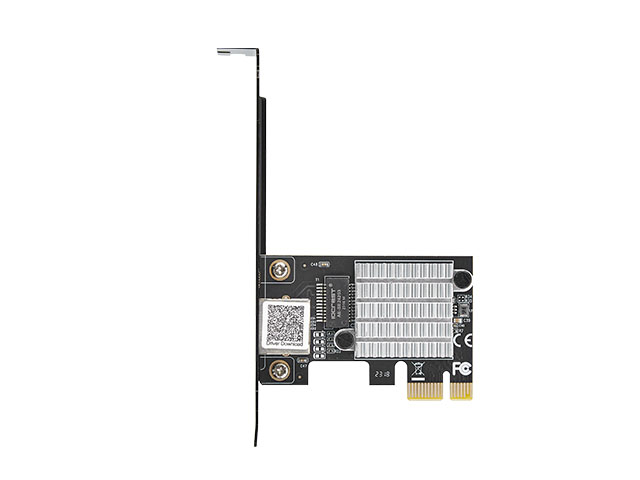
IO Crest 2.5 Gigabit Ethernet PCIe Card
Realtek RTL8125B • 2.5× Faster Than Gigabit • NAS & Gaming Ready
Why 2.5 Gigabit Ethernet is Taking Over
2.5 Gigabit Ethernet (2.5GbE) has emerged as the perfect sweet spot for modern home and office networks. It delivers 2.5× the performance of standard Gigabit Ethernet (2500 Mbps vs 1000 Mbps) while being far more affordable and practical than 10 Gigabit solutions. With multi-gig internet becoming mainstream and NAS systems supporting 2.5GbE natively, now is the ideal time to upgrade.
Real-World Performance Gains
- NAS File Transfers: Copy a 100GB 4K video folder in ~5 minutes instead of ~13 minutes
- Multi-Gig Internet: Actually use your full Virgin M500 (500 Mbps) or BT Fibre 900 speed
- Gaming Downloads: 50GB game downloads finish in ~3 minutes instead of ~7 minutes
- Network Backups: 1TB backup completes in ~53 minutes instead of ~2.2 hours
Why Choose This 2.5GbE Network Card?
- ✓ 2.5× Faster Than Standard Gigabit Ethernet — 2500 Mbps maximum throughput vs 1000 Mbps. The performance increase is immediately noticeable when transferring large files, streaming high-resolution media, or downloading game updates. Perfect for demanding home networks where gigabit has become a bottleneck.
- ✓ Industry-Standard Realtek RTL8125B Chipset — The RTL8125B has become the de facto standard for 2.5GbE networking. Excellent driver support across Windows (built into Windows 10/11), Linux (kernel 5.9+), and Mac OS. Proven reliability with millions of units deployed worldwide in everything from consumer motherboards to enterprise equipment.
- ✓ Cat6 Cabling Recommended for Full Performance — For reliable 2.5GbE speeds, we recommend Cat6 Ethernet cables or higher (Cat6a, Cat7, Cat8). These cables ensure stable signal quality and full bandwidth utilization up to 100 metres. While Cat5e can technically support 2.5GbE at shorter distances, Cat6 provides the performance headroom and reliability you want for a long-term installation.
- ✓ Perfect for Modern NAS Systems — Synology DS923+/DS1522+, QNAP TS-464/TS-673A, TrueNAS systems, and Unraid servers all include 2.5GbE ports. This card unlocks their full performance potential, dramatically improving access speeds to your media libraries, VM storage, photo archives, and backup destinations. Edit 4K video directly from your NAS without copying files locally first.
- ✓ Gaming Performance Advantage — Wired Ethernet consistently outperforms WiFi for gaming with lower latency, zero wireless interference, and stable connection quality. The 2.5GbE speed ensures you’re never bandwidth-limited when downloading massive game updates (Call of Duty, Fortnite, Warzone often exceed 100GB), streaming to Twitch simultaneously, or running game servers from home.
- ✓ Multi-Gig Internet Ready — UK ISPs now offer connections exceeding 1 Gbps: Virgin Media M500 (500 Mbps), Virgin Gig1 (1130 Mbps), BT Full Fibre 900, Sky Ultrafast Plus. Don’t bottleneck your expensive internet connection with a standard gigabit network card — get the full speed you’re paying for.
- ✓ Universal PCIe Slot Compatibility — This PCIe x1 card works in any available PCIe slot (x1, x4, x8, or x16). Perfect for systems where the dedicated x1 slot is blocked by a large graphics card — simply install in an available x4 or x16 slot. Works in standard ATX, Micro-ATX, Mini-ITX motherboards.
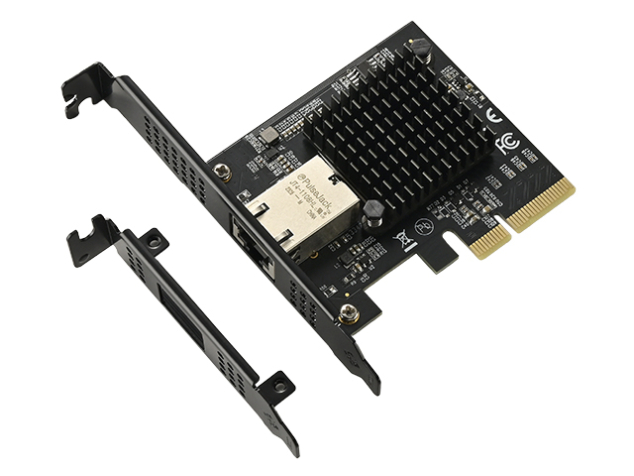
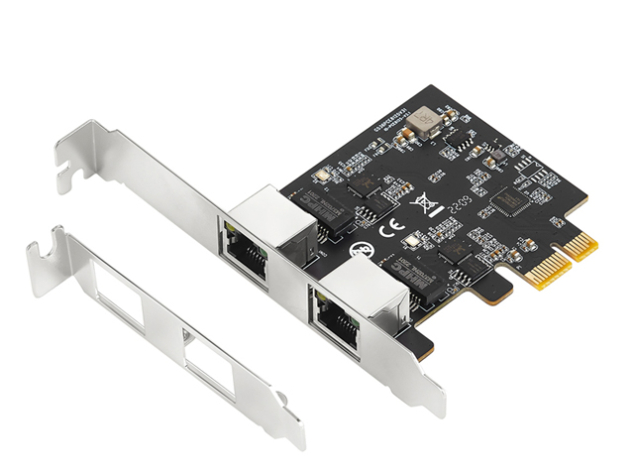
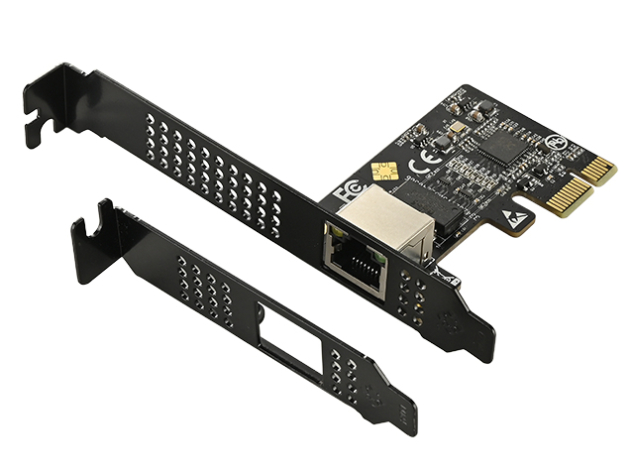
- ✓ Small Form Factor Compatible — Includes both standard-height and low-profile brackets. Works perfectly in Dell OptiPlex SFF, HP EliteDesk, Lenovo ThinkCentre compact desktops, and mini-ITX cases. Simply swap the bracket before installation.
Ideal Applications & Use Cases
💾 Home NAS & Network Storage
Perfect for: Synology, QNAP, TrueNAS, Unraid, DIY NAS builds
Transform your NAS from “adequate” to “lightning fast”. Access your Plex/Jellyfin media library with zero buffering on 4K HDR content. Edit video projects directly from network storage. Run virtual machines from your NAS with responsive performance. Backup large photo libraries in a fraction of the time. The 2.5× speed increase is immediately apparent in day-to-day use.
🎮 Gaming & Streaming PCs
Perfect for: Competitive gaming, game streaming, content creation
Wired Ethernet beats WiFi for gaming every time — lower latency, zero interference, consistent performance. 2.5GbE ensures you’re never bandwidth-limited when downloading 100GB+ game updates from Steam/Epic/Xbox Game Pass while simultaneously streaming to Twitch, uploading YouTube videos, or voice chatting on Discord. Professional streamers and competitive gamers demand wired connections for reliability.
🌐 Multi-Gigabit Internet Connections
Perfect for: Virgin M500/Gig1, BT Full Fibre 900, Sky Ultrafast Plus
UK ISPs are rapidly deploying multi-gigabit connections that exceed standard 1 Gbps Ethernet. Virgin Media’s M500 package delivers 500 Mbps, and Gig1 delivers 1130 Mbps. BT Full Fibre 900 provides 900 Mbps. With a standard gigabit network card, you’re leaving performance on the table. 2.5GbE ensures you get every bit of speed you’re paying for. Speed test results will finally match your broadband package!
🎬 Video Editing Workstations
Perfect for: 4K/8K video editing, photography, content creation
Edit 4K and 8K video footage directly from network storage without copying projects locally first. Adobe Premiere Pro, DaVinci Resolve, and Final Cut Pro all benefit from faster network speeds when working with high-resolution media. Photographers working with large RAW files from Canon R5/Sony A7R V/Nikon Z9 will appreciate the dramatically faster file browsing and transfer speeds to network storage.
🏠 Smart Home & Home Lab
Perfect for: Proxmox, Docker, virtualization, self-hosted services
Home lab enthusiasts running Proxmox, ESXi, Hyper-V, or Docker containers benefit from faster network speeds for VM migrations, container image downloads, and network-based storage for VMs. Security camera systems with 4K cameras and continuous recording benefit from the increased bandwidth when accessing multiple camera streams simultaneously. Home Assistant, Pi-hole, Nextcloud, and other self-hosted services become more responsive.
💼 Small Office & Workstations
Perfect for: Design studios, architecture firms, engineering workstations
Professional workstations dealing with large CAD files (AutoCAD, SolidWorks), 3D models (Blender, Maya), or architectural renderings (Revit, 3ds Max) benefit from faster network speeds when collaborating on shared project files. Design studios working with InDesign, Illustrator, and Photoshop projects stored on network servers will notice dramatically faster open/save operations.
⚠️
Important: Cable Requirements for 2.5 Gigabit Speeds
Use Cat6 Ethernet Cables or Better: To achieve reliable 2.5 Gigabit speeds, you need proper cabling infrastructure. We strongly recommend Cat6, Cat6a, Cat7, or Cat8 Ethernet cables for all 2.5GbE connections.
Recommended Cable Types:
- Cat6 (Category 6): Our minimum recommendation. Supports 2.5GbE up to 100 metres with excellent signal quality. Widely available, affordable, and perfectly suited for home and office 2.5GbE deployments. This is the sweet spot for most users.
- Cat6a (Category 6a): Enhanced shielding and higher frequency rating (500 MHz vs 250 MHz). Supports 10GbE up to 100 metres, so 2.5GbE performance is guaranteed even in electrically noisy environments. Excellent future-proofing choice.
- Cat7 (Category 7): Shielded cable supporting up to 600 MHz. Provides even better noise immunity, particularly useful near power cables or in dense cable bundles. Premium option for professional installations.
- Cat8 (Category 8): Data centre-grade cabling supporting 25/40 Gigabit. Overkill for 2.5GbE but provides maximum headroom and shielding. Most expensive option.
Why Not Cat5e? While Cat5e (Category 5e) cables are technically rated for 2.5GbE at shorter distances (typically under 30-50 metres), performance degrades with cable length, electrical interference, and manufacturing quality variances. For reliable, long-term 2.5GbE operation, Cat6 is the minimum we recommend. The small price difference between Cat5e and Cat6 is worth the performance confidence and future-proofing.
Complete Technical Specifications
| Chipset | Realtek RTL8125B (PCIe 2.1 compliant) |
| Interface Type | PCI Express 2.1 x1 (single-lane) |
| Slot Compatibility | Works in PCIe x1, x4, x8, and x16 slots |
| Bus Speed | 5 GT/s (Gigatransfers per second) |
| Network Speeds | 2500 Mbps (2.5 Gbps), 1000 Mbps (1 Gbps), 100 Mbps, 10 Mbps — auto-negotiation |
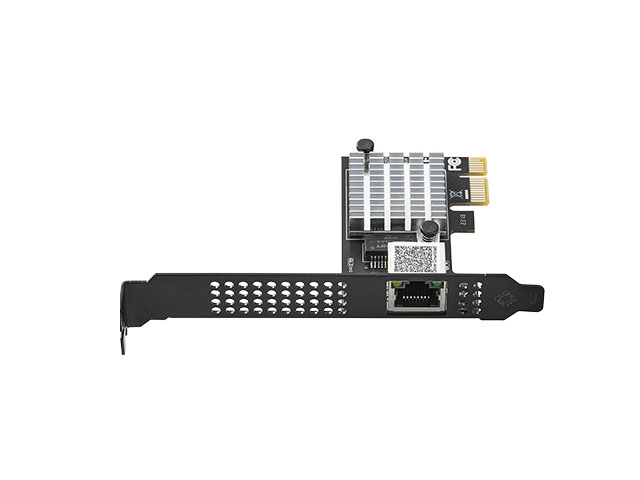
| Port Configuration | 1× RJ45 Gigabit Ethernet port |
| Recommended Cabling | Cat6 minimum for 2.5GbE speeds (Cat6a, Cat7, Cat8 also supported) |
| Maximum Cable Length | 100 metres (328 feet) at 2.5 Gbps with Cat6 or better |
| Standards Compliance | • IEEE 802.3bz (2.5GBase-T / 5GBase-T) • IEEE 802.3ab (1000Base-T Gigabit Ethernet) • IEEE 802.3u (100Base-TX Fast Ethernet) • IEEE 802.3 (10Base-T Ethernet) |
| Duplex Mode | Full-duplex (simultaneous send and receive at full speed) |
| Jumbo Frame Support | Yes, up to 16KB (increases efficiency for large file transfers) |
| VLAN Support | IEEE 802.1Q VLAN tagging (4096 VLANs) |
| Flow Control | IEEE 802.3x Full Duplex flow control |
| Wake-on-LAN (WoL) | Yes, supports remote wake-up and magic packet |
| Energy Efficient Ethernet | IEEE 802.3az (EEE) — reduces power during low activity |
| Auto-Negotiation | Yes, with Extended Next Page (XNP) capability |
| Auto MDI/MDI-X | Yes, automatic crossover detection and correction |
| LED Indicators | Link/Activity (shows connection status and data transfer) |
| Card Dimensions | Half-length PCIe card (fits all standard cases) |
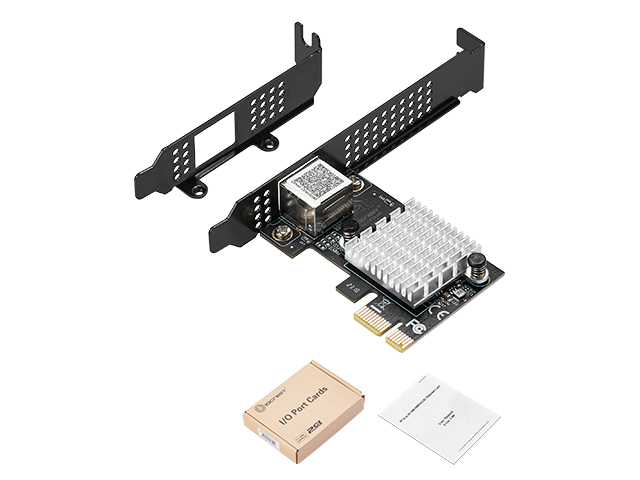
| Bracket Types Included | Standard height bracket (pre-installed) + Low profile bracket |
| Operating Systems | • Windows 11, 10, 8.1, 8, 7 (32/64-bit) • Windows Server 2022, 2019, 2016, 2012, 2008 • Linux kernel 5.9 and above (built-in support) • Mac OS 10.15 Catalina and above • DOS |
| Driver Support | Built-in drivers (Windows 10/11, modern Linux), manual drivers downloadable from Realtek |
| Power Consumption | Low power, bus-powered by PCIe slot |
| Certifications | CE, FCC, RoHS compliant |
| Warranty | 1 Year Manufacturer Warranty |
📦 What’s Included in the Package
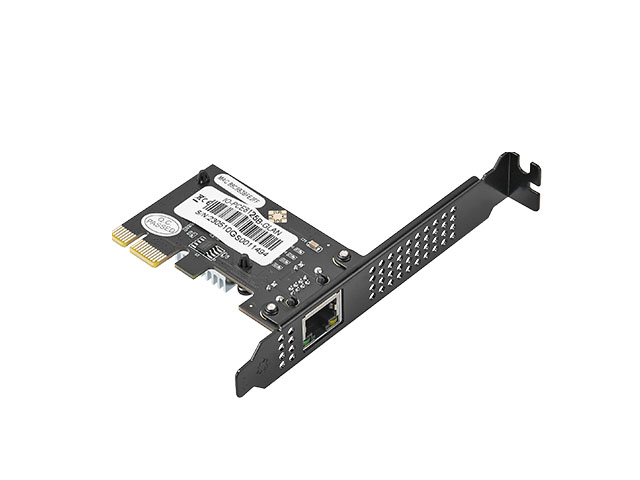
- ✓ 1× IO Crest 2.5 Gigabit Ethernet PCIe Network Card (Model: IO-PCE8125B-GLAN)
- ✓ 1× Low Profile Bracket (for Small Form Factor PCs and mini-ITX cases)
- ✓ 1× Quick Start Guide / User Manual (English)
Note: Ethernet cables are NOT included. Purchase Cat6 or higher Ethernet cables separately for 2.5GbE connectivity.
Frequently Asked Questions
Q: What Ethernet cables do I need for 2.5 Gigabit speeds?
A: We strongly recommend Cat6 Ethernet cables or better (Cat6a, Cat7, Cat8) for reliable 2.5GbE performance. While Cat5e is technically rated for 2.5GbE at shorter distances, Cat6 provides much more reliable signal quality, especially over longer cable runs up to 100 metres. The small cost difference between Cat5e and Cat6 is worth the performance confidence and future-proofing. Look for cables clearly labelled “Cat6” or “Category 6” — they’re widely available from retailers like Amazon, Screwfix, or your local computer shop.
Q: Will I actually see faster internet speeds with my Virgin/BT/Sky connection?
A: If your internet connection exceeds 1 Gbps, or even approaches it, yes absolutely. Virgin Media’s M500 package provides 500 Mbps, and their Gig1 package delivers 1130 Mbps. BT Full Fibre 900 provides 900 Mbps. With a standard 1 Gigabit Ethernet card, you’d be artificially limited to ~940 Mbps maximum even if your connection is faster. This 2.5 Gigabit card ensures you get the full speed you’re paying for. Even with connections under 1 Gbps, the extra headroom provides better performance stability and lower latency.
Q: Does my router or switch need to support 2.5 Gigabit Ethernet?
A: For connections running at full 2.5 Gbps, yes — both ends of the connection need 2.5GbE capability. If your router/switch only has 1 Gigabit ports, the card will auto-negotiate down to 1 Gbps (still works perfectly, just not at 2.5 Gbps speed). Many new routers from TP-Link (like the Archer AX73), Asus (RT-AX86U), Netgear, UniFi Dream Machine series, and QNAP/Synology NAS devices now include 2.5GbE ports. Affordable 2.5GbE switches are also widely available from TP-Link, TRENDnet, and QNAP starting around £40-60 for 5-port models.
Q: How much faster will my NAS file transfers be?
A: In real-world testing, 2.5GbE delivers approximately 2.5× the throughput of Gigabit Ethernet, though actual speeds depend on your NAS drives and network conditions. Here are typical examples:
- 1 GbE: ~110-117 MB/s (megabytes per second)
- 2.5 GbE: ~280-290 MB/s (megabytes per second)
Practically speaking: A 100GB 4K video project that took 15 minutes to transfer now takes 6 minutes. A 500GB photo library backup that took over an hour now completes in 30 minutes. The time savings compound rapidly when you’re doing this multiple times per day.
Q: Will this work in my PCIe x16 slot (normally for graphics cards)?
A: Yes, absolutely! PCIe is both electrically and physically backwards compatible. A PCIe x1 card like this one works perfectly in any PCIe slot — x1, x4, x8, or x16. This is particularly useful in systems where the dedicated x1 slot is blocked by a large graphics card or where only x16 slots are available. The card only uses x1 bandwidth (which is more than sufficient for 2.5GbE), so there’s no performance penalty to using a larger slot.
Q: Do I need to install drivers?
A: Windows 10 and Windows 11 include RTL8125B drivers built-in and will auto-detect the card when you first boot up. The drivers install automatically and the card should work immediately. For absolute best performance and latest features, you can optionally download the newest drivers from Realtek’s website. Linux users: the RTL8125B is supported natively in kernel 5.9 and above (any recent distribution like Ubuntu 20.04+, Fedora, Debian, etc. includes support out of the box). Mac OS also includes native support in recent versions.
Q: Will this fit in my small form factor PC (Dell OptiPlex, HP EliteDesk, etc.)?
A: Yes! The card includes both standard-height and low-profile brackets. For small form factor (SFF) systems like Dell OptiPlex SFF, HP EliteDesk SFF, Lenovo ThinkCentre compact desktops, simply remove the standard bracket and install the included low profile bracket before inserting the card. Works perfectly in mini-ITX cases and compact workstations. Note: Ultra-small “micro” or “tiny” PCs (like OptiPlex Micro) typically don’t have any PCIe expansion slots at all — check your system specifications first.
Q: Can I use this with my existing motherboard’s built-in Gigabit Ethernet?
A: Yes! Both network cards can be active simultaneously. Your system will show two network adapters — one at 1 Gbps (your onboard Ethernet) and one at 2.5 Gbps (this card). You can:
- Use the 2.5GbE card for your primary high-speed connection (NAS, internet)
- Use the 1 GbE port for a secondary network or management interface
- Set up link aggregation/teaming if your switch supports it
- Have redundant network connections for reliability
Q: Is 2.5GbE fast enough for 4K video streaming and editing?
A: Absolutely! 2.5GbE provides approximately 280-290 MB/s (megabytes per second) of actual throughput. Here’s what that means for video:
- 4K streaming: Typical 4K video bitrates are 25-100 Mbps — 2.5GbE can handle dozens of simultaneous 4K streams
- 4K editing: Editing 4K 60fps footage from network storage works smoothly with 2.5GbE
- 8K editing: Even 8K footage (which can be 400-600 Mbps) is manageable, though 10GbE would be ideal for heavy 8K work
For context: a single 4K HDR Blu-ray quality stream uses about 50-80 Mbps. 2.5GbE is 2500 Mbps, so you have massive headroom.
✓ System Compatibility Requirements
- Requires: Available PCIe x1, x4, x8, or x16 slot (any generation PCIe 1.0+)
- Form factors: ATX, Micro-ATX, Mini-ITX, Small Form Factor (with low profile bracket)
- NOT compatible with: Laptops, ultra-compact “micro”/”tiny” PCs without PCIe expansion
- Cabling: Cat6, Cat6a, Cat7, or Cat8 Ethernet cables required for 2.5GbE speeds
- Router/Switch: Must have 2.5GbE port for full speed (auto-negotiates to 1 GbE if not available)
- Power: Powered entirely by PCIe slot, no external power connector required
Why Buy from TekHouse?
✓ UK Stock, Fast Dispatch
Next working day dispatch from our UK warehouse. No waiting 2-4 weeks for slow boat from China. Order today, install tomorrow.
✓ Genuine IO Crest Hardware
Authentic IO Crest brand with genuine Realtek RTL8125B chipsets. We source directly from authorised distributors — no counterfeit chips or grey market goods.
✓ Expert Technical Support
Pre-sales and post-sales support from people who understand networking, not just order processors. Help with driver installation, speed optimization, and troubleshooting.
✓ 30-Day Money-Back Guarantee
If the card doesn’t work for your application or you’re not satisfied for any reason, return it within 30 days for a full refund. No questions asked, no restocking fees.
{
“@context”: “https://schema.org/”,
“@type”: “Product”,
“name”: “2.5 Gigabit Ethernet PCIe Network Card – Realtek RTL8125B – IO Crest IO-PCE8125B-GLAN”,
“image”: “https://www.iocrest.com/data/upload/image/20230626/1687793870882646.jpg”,
“description”: “2.5 Gigabit Ethernet PCIe network card with Realtek RTL8125B chipset. 2.5× faster than standard gigabit. Perfect for NAS, gaming, multi-gig internet. Low profile bracket included.”,
“brand”: {
“@type”: “Brand”,
“name”: “IO Crest”
},
“mpn”: “IO-PCE8125B-GLAN”,
“sku”: “IO-PCE8125B-GLAN”,
“offers”: {
“@type”: “Offer”,
“url”: “https://tekhouse.co.uk/product/2-5-gigabit-ethernet-pcie-network-card-rtl8125b”,
“priceCurrency”: “GBP”,
“price”: “12.59”,
“priceValidUntil”: “2026-12-31”,
“availability”: “https://schema.org/InStock”,
“itemCondition”: “https://schema.org/NewCondition”,
“seller”: {
“@type”: “Organization”,
“name”: “TekHouse”
}
},
“aggregateRating”: {
“@type”: “AggregateRating”,
“ratingValue”: “4.5”,
“reviewCount”: “143”
}
}